TORQWAVE
An audio editor and a DAW in one: for sound design, for writing and producing music, and for working to picture.
Free, open source and 100% offline-first for macOS, Windows and Linux — zero telemetry, zero tracking, no account and no subscription. Edit a file down to its spectrum, repair and master it, then build a session around it with instruments, live creative & MIDI FX, a piano roll, automation, CLAP 1.2 plug-ins and video, without leaving the program.
Hear it
What comes built in, played by Torqwave itself: nine-oscillator Complex club sounds, rewritten Sequence Library kits and patterns, Torqwave Synth and StringSwarm. Nothing was added after the render.
Synth Arp & 4-Scene Evolve
Built-in tempo-synced Arpeggiator (1/16 Up-Down, 2 octaves, 58% swing) while 4-Scene Evolve morphs continuously across Velvet Roller, Strobe Pluck, Palazzo Chord and Elysian Bloom.
Rendered directly by Torqwave 0.23.0 (TorqwaveTests --023-demos): 8 bars at 128 BPM.
Tape Delay & Club Pump
9-oscillator Palazzo Chord stabs dry for 2 bars, then live Tape Delay (with wet ducking) and Volume Shaper (Club Pump with 160 Hz low-band split) pumping over a kick.
Rendered directly by Torqwave 0.23.0 (TorqwaveTests --023-demos): 6 bars at 132 BPM.
4x Distortion & Auto-Filter
9-oscillator Velvet Roller bassline stepping every 2 bars through Clean, 4x-oversampled Tube, Wavefold and Bitcrush into the resonant Auto-Filter (LFO + envelope follower).
Rendered directly by Torqwave 0.23.0 (TorqwaveTests --023-demos): 8 bars at 130 BPM.
Live MIDI FX Chain
Four single root notes transformed live through Scale Lock (A minor) -> Chord Trigger (Min 9) -> MIDI Arpeggiator -> Note Echo (+12 st shimmer) driving Strobe Pluck.
Rendered directly by Torqwave 0.23.0 (TorqwaveTests --023-demos): 4 bars at 126 BPM.
Velvet Roller
9 oscillators (8 sounding, 1 silent FM): Analog sine, Sub, Analog saw (FM warp), Pulse an octave up (Bend warp), String an octave up, Analog saw an octave up, Analog saw an octave up, Additive two octaves up. Filters: Ladder 24 at 480 Hz and SVF High at 340 Hz. Legato. Effects: tube drive. Macros: Cutoff, Wood, Width, Warmth.
9 oscillators (31 parts in use); no. 3 of 4 in Complex › Bass. Plays four bars at 132 BPM. Joined 0.1 s in.
Afterlife Anthem
9 oscillators (8 sounding, 1 silent FM): Analog saw x3, Pulse, Analog sine (FM warp), Analog triangle +7 st, String, Analog saw an octave up, Analog saw an octave up, Additive an octave up. Filters: Ladder 24 at 2.4 kHz and SVF High at 520 Hz. Legato. Effects: tube drive, chorus, 1/8 D delay, reverb. Macros: Cutoff, Shimmer, Fifth, Space.
9 oscillators (34 parts in use); no. 3 of 4 in Complex › Lead. Plays four bars at 132 BPM.
Elysian Bloom
9 oscillators (8 sounding, 1 silent FM): Analog triangle an octave down, Analog saw x3, Pulse, Vowel an octave up, Analog sine an octave up (FM warp), Analog saw an octave up, Additive +19 st, Additive two octaves up. Filters: Ladder 12 at 1.3 kHz and SVF High at 480 Hz. Effects: chorus, 1/8 D delay, reverb. Macros: Bloom, Choir, Halo, Space.
9 oscillators (31 parts in use); no. 3 of 4 in Complex › Pad. Plays four bars at 132 BPM. Joined 0.3 s in.
Palazzo Chord
9 oscillators (8 sounding, 1 silent FM): Analog saw, Analog saw +3 st, Pulse +7 st, Analog saw +10 st, Additive +14 st, Analog sine an octave up (FM warp), Analog saw an octave up, Analog saw +15 st. Filters: Ladder 24 at 920 Hz and SVF High at 520 Hz. Effects: chorus, 1/8 D delay, reverb. Macros: Cutoff, Dub, Sparkle, Space.
9 oscillators (30 parts in use); no. 3 of 4 in Complex › Stab. Plays four bars at 132 BPM. Joined 0.2 s in.
Afterglow Kit
122 BPM · A minor · 4 bars
- Halo Stomp (Drums, on Basic Drums: Standard)
- Aurora Bass (Bass, on Torqwave Synth: Warehouse Sub)
- Glacier Chord Pulse (Harmony, on Torqwave Synth: Grey Sky)
- Halo Climb (Arps, on Torqwave Synth: Wire Pluck)
- Lumen Tom Fill (Drums, on Basic Drums: Standard)
- Skyline Lift (SFX, on Torqwave Synth: Bit Pluck)
Peak Rumble Bass
Offbeat 16ths on the root with an octave accent at the end of each half bar
132 BPM · A minor · 2 bars, 2 times round · energy 4 of 5 · on Torqwave Synth: Bunker Kick Bass. Joined 0.2 s in.
Concrete Pad
Eight detuned saws, a slow filter sway, chorus and a long reverb.
Analog saw x4, Analog saw x4. Filter: Ladder 24 at 1.2 kHz. Effects: chorus, reverb. Macros: Cutoff, Grit, Space.
Chosen by ear. Plays four bars at 120 BPM. Joined 0.2 s in.
Tremolo Swarm Wall
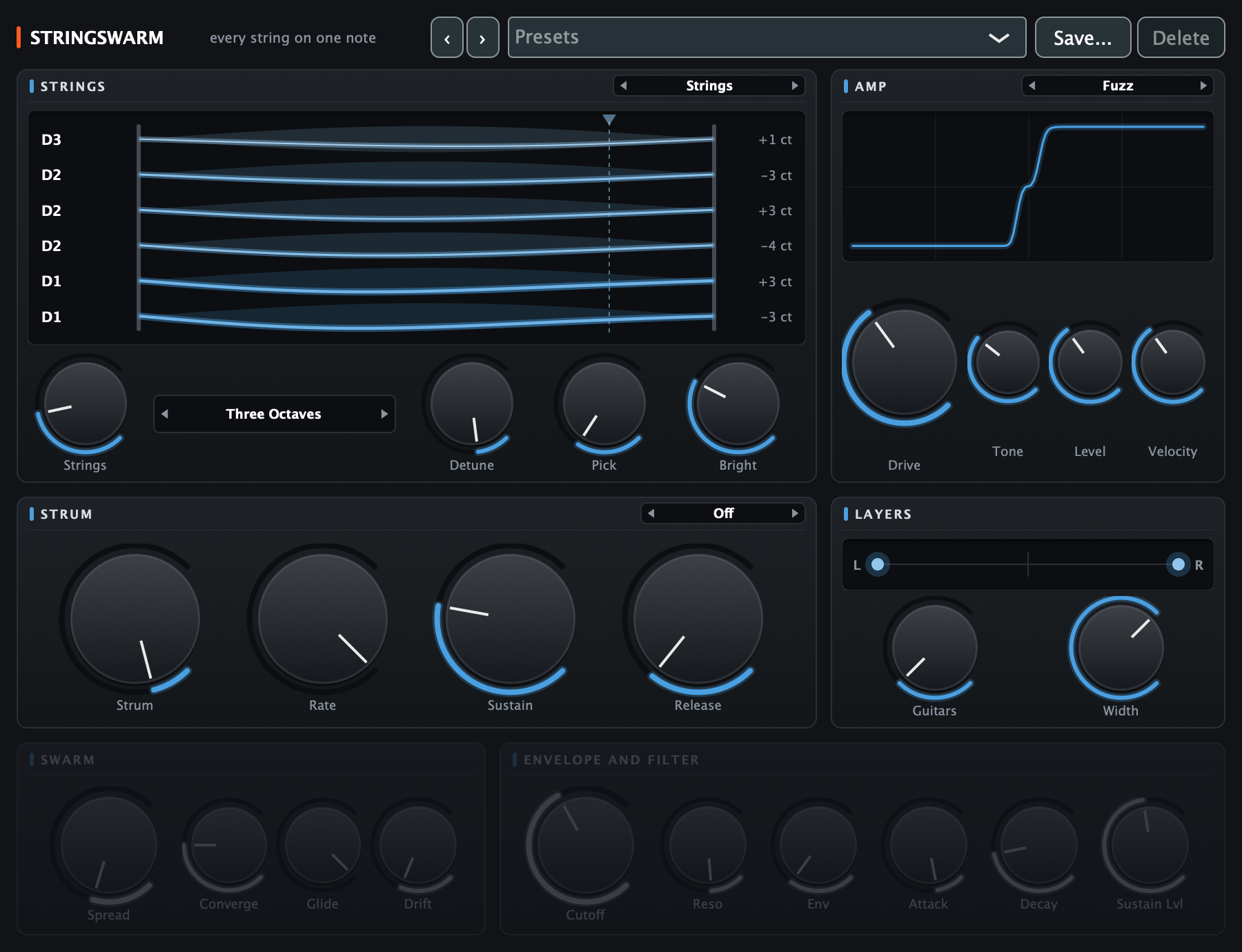
Twelve strings over three octaves of one note, 30 cents apart, four guitars picked 14 times a second through the fuzz.
12 strings, Three Octaves tuning, 4 guitars; Fuzz amp.
Chosen by ear. Plays four bars at 120 BPM.
New in 0.24.0
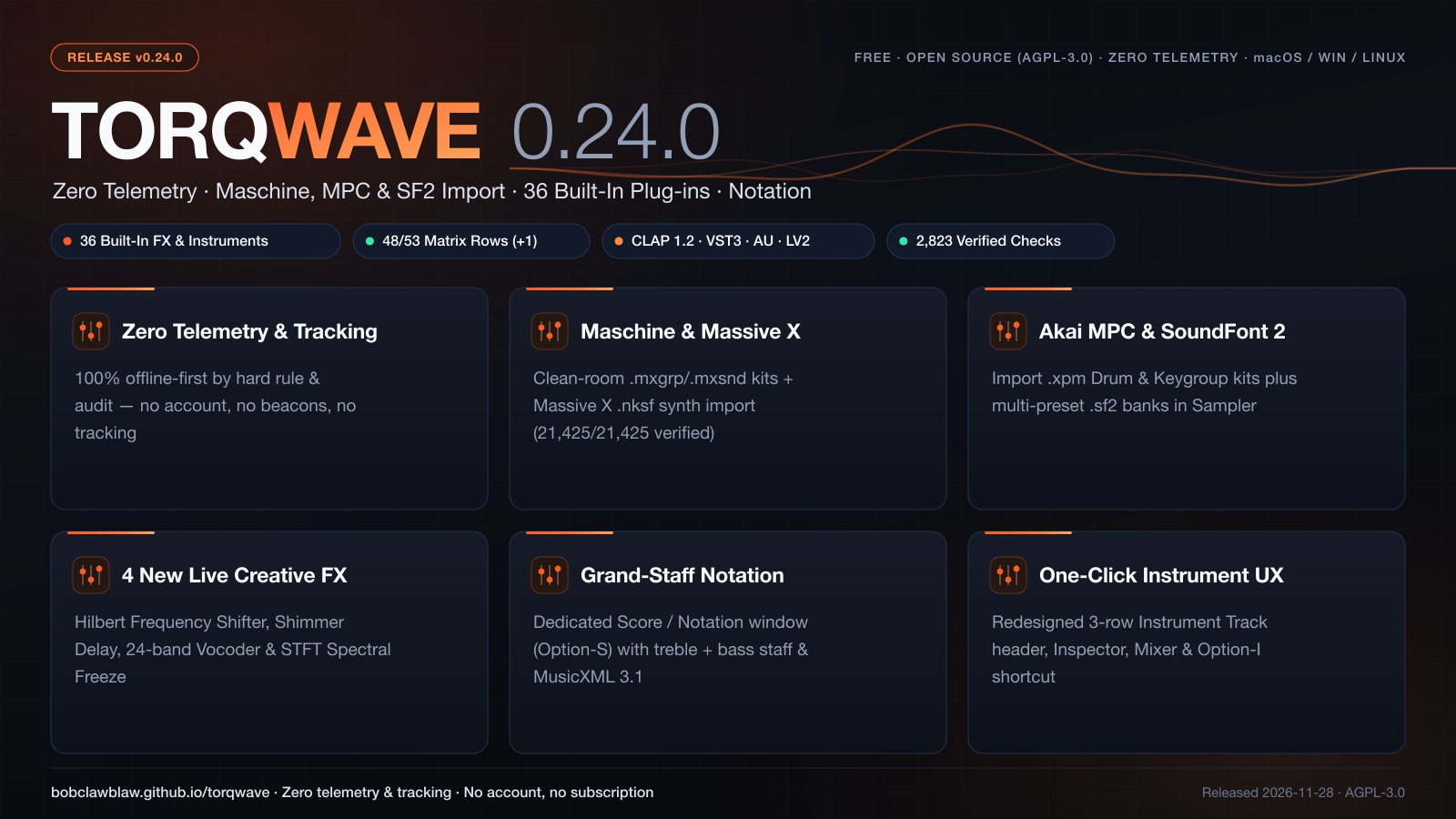
0.24.0 opens your existing sample and drum libraries with zero lock-in and zero telemetry: clean-room NI Maschine 2/3 (.mxgrp/.mxsnd) kit & MIDI pattern import (with Drum Synth & per-pad FX translation and one-click track drop), Akai MPC (.xpm) Drum & Keygroup import, SoundFont 2 (.sf2) multi-preset banks in Torqwave Sampler, four new Live Creative FX (Frequency Shifter, Shimmer Delay, 24-band Vocoder, Spectral Freeze — 36 built-in plug-ins), and an interactive Grand-Staff Notation View with MusicXML 3.1 export (48 of 53 comparison matrix rows). Below those, what landed in 0.23.0, 0.22.1, 0.22.0 and 0.21.1.
Zero Telemetry & Zero Tracking (0.24.0)
100% offline-first by engineering rule and automated audit: no account, no subscription, no analytics, no crash beacons, and no licence phone-home. Optional Ask Torq is off by default with no server configured until you point it at your own local model.
NI Maschine Kit & Pattern Import (0.24.0)
Import Maschine 2/3 .mxgrp kits and .mxsnd sounds straight into Basic Drums: samples stay in place, Drum Synths map clean-room onto Torqwave's drum engines, per-pad/bus FX translate to built-in DSP, and embedded 960 PPQN patterns export to .mid or drop straight onto the track in one click.
Akai MPC & SoundFont 2 Import (0.24.0)
Drop Akai MPC .xpm Drum programs onto Basic Drums or .xpm Keygroups and SoundFont 2 (.sf2) banks onto Torqwave Sampler — complete with a built-in multi-preset bank picker for browsing full SoundFont collections.
4 New Live Creative FX (0.24.0)
The built-in plug-in suite grows to 36 with an 8th-order Hilbert SSB Frequency Shifter (49.6 dB image rejection), granular Shimmer Delay, 24-band Vocoder (internal chord or sidechain carrier), and real-time STFT Spectral Freeze.
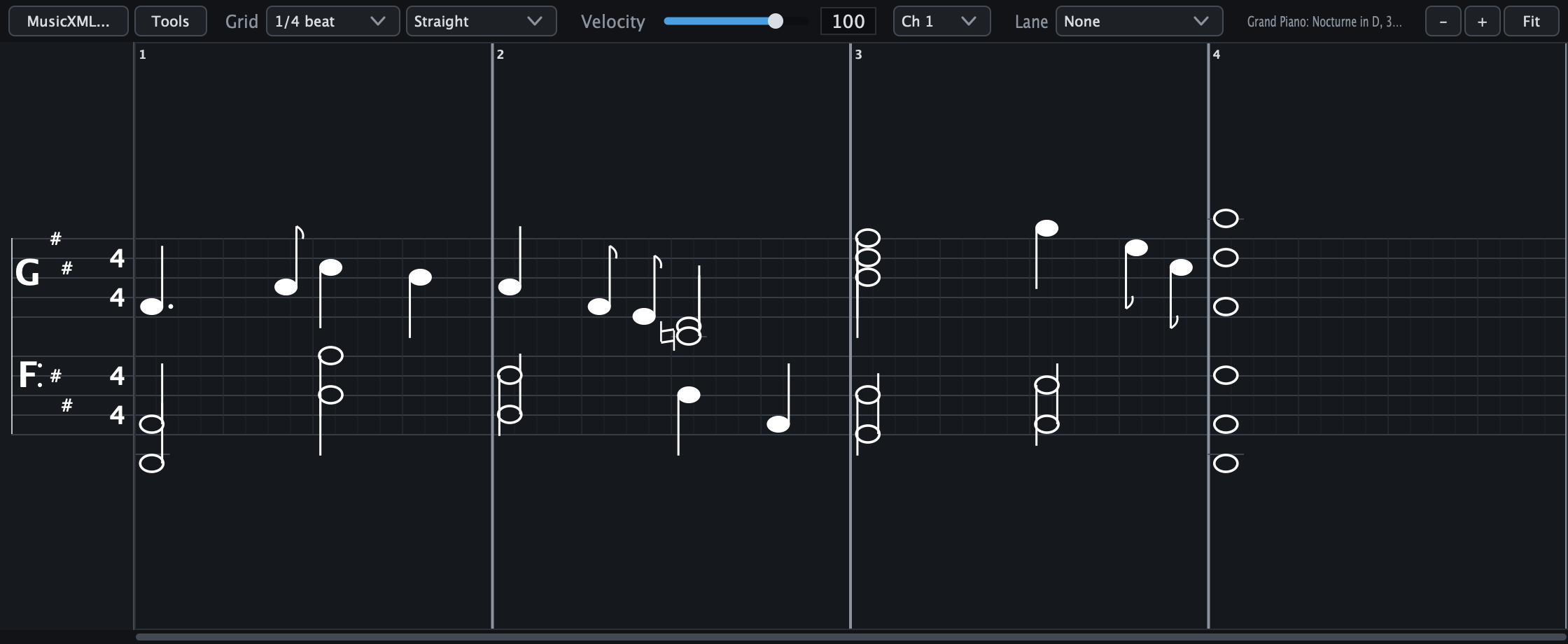
Grand-Staff Notation & MusicXML (0.24.0)
Switch the Note Editor to Score view for interactive treble + bass grand staves with key signatures, ledger lines, note durations, click-to-edit pitch/time, and standard MusicXML 3.1 export.
Live Creative FX pack (0.23.0)
Six real-time built-in effects for tracks, buses and the rack: Stereo / Ping-Pong / Tape Delay with wet ducking, multi-mode 4x-oversampled Distortion & Bitcrusher, resonant Auto-Filter with LFO + envelope follower, tempo-synced Volume Shaper / Sidechain Pump with low-band split, live Noise Gate (linked surround), and Tremolo & Auto-Pan.
Torqwave Synth: 4 LFOs, 24 slots, Arp & Evolve (0.23.0)
LFOs 3 and 4, 24 modulation slots with Slot Depth as a destination, 16-node smooth MSEG Curve LFOs, a built-in tempo-synced Arpeggiator, 4-scene continuous Evolve morphing, and optional Complex (9-oscillator) matching in Decrypt — while keeping all 3,627 existing patches sample-for-sample identical.
Live MIDI FX & Piano Roll upgrades (0.23.0)
Four live MIDI effects that run in front of any instrument on the same track — MIDI Arpeggiator, Chord Trigger, Scale Lock and Note Echo — alongside Piano Roll per-note ratchets (1x–8x), micro-timing offsets, MPC/shuffle groove templates and cross-track ghost notes.
Audio to MIDI (0.23.0)
Right-click any audio clip in a session to extract a monophonic melody/bass line (via YIN pitch tracking) or drum loop hits (Kick, Snare, Closed/Open Hat via 3-band transient analysis plus groove offsets) straight onto a new instrument track.
Sampler SFZ, Warp & Drums Multi-Out (0.23.0)
Torqwave Sampler now imports standard SFZ multisamples, cycles round-robin groups per zone, and supports tempo-synced Warp playback using Signalsmith Stretch. Basic Drums adds 8 stereo aux output buses for per-pad routing.
Track Modulators, CLAP 1.2 & Headless CI (0.23.0)
Attach tempo-synced LFOs and audio envelope followers directly to any track to modulate any plug-in parameter, host native CLAP 1.2 plug-ins on macOS, Windows and Linux, and run the headless test suite automatically on Windows and Linux GitHub Actions.
116 Complex patches (0.22.0, 0.22.1)
Four patches in each of the 29 categories (three of each four on all nine oscillators): 0.22.1 adds 58 musical, club-ready nine-oscillator sounds built with harmonic FM ratios, mono sub anchors, parallel stereo air and tempo-synced movement, calibrated around -17 LUFS and auditioned before release.
Nine oscillators (0.22.0)
Torqwave Synth has nine wavetable oscillators, each with its table, Position, warp, unison and level envelope, and each chooses which oscillator drives its FM, so FM can run two and three deep. A strip across the top of the window shows all nine, and the panels show three at a time. Every patch, preset and session you had plays exactly as before.
No clicks (0.22.0)
A held sound struck again brings its envelopes back in over 4 ms rather than jumping, CC 74 and the macros glide while notes sound, and a legato slide to a harder note glides to its velocity. Drums and one-shots keep their edge. Heard before and after on the patch that clicked.
Fewer near-copies (0.22.0)
174 patches that sounded almost the same as another in their category are out, leaving 3,569. A favourite on one moves to the patch it was a copy of, and a session saved on one keeps its own settings. Not known to have been tried by hand with real favourites.
The Sequence Library, rewritten (0.22.0)
No two presets play the same notes, where 446 of 1,032 did, and a test fails if a repeat comes back. Each style has its own language in its arps, chords, basslines and fills, and the 37 styles are named for what they play, in ten families. Drones are levelled and there from their first bar, pads play pad sounds, and old names still load. The user listened to every category before and after.
Pads that play your samples (0.21.1)
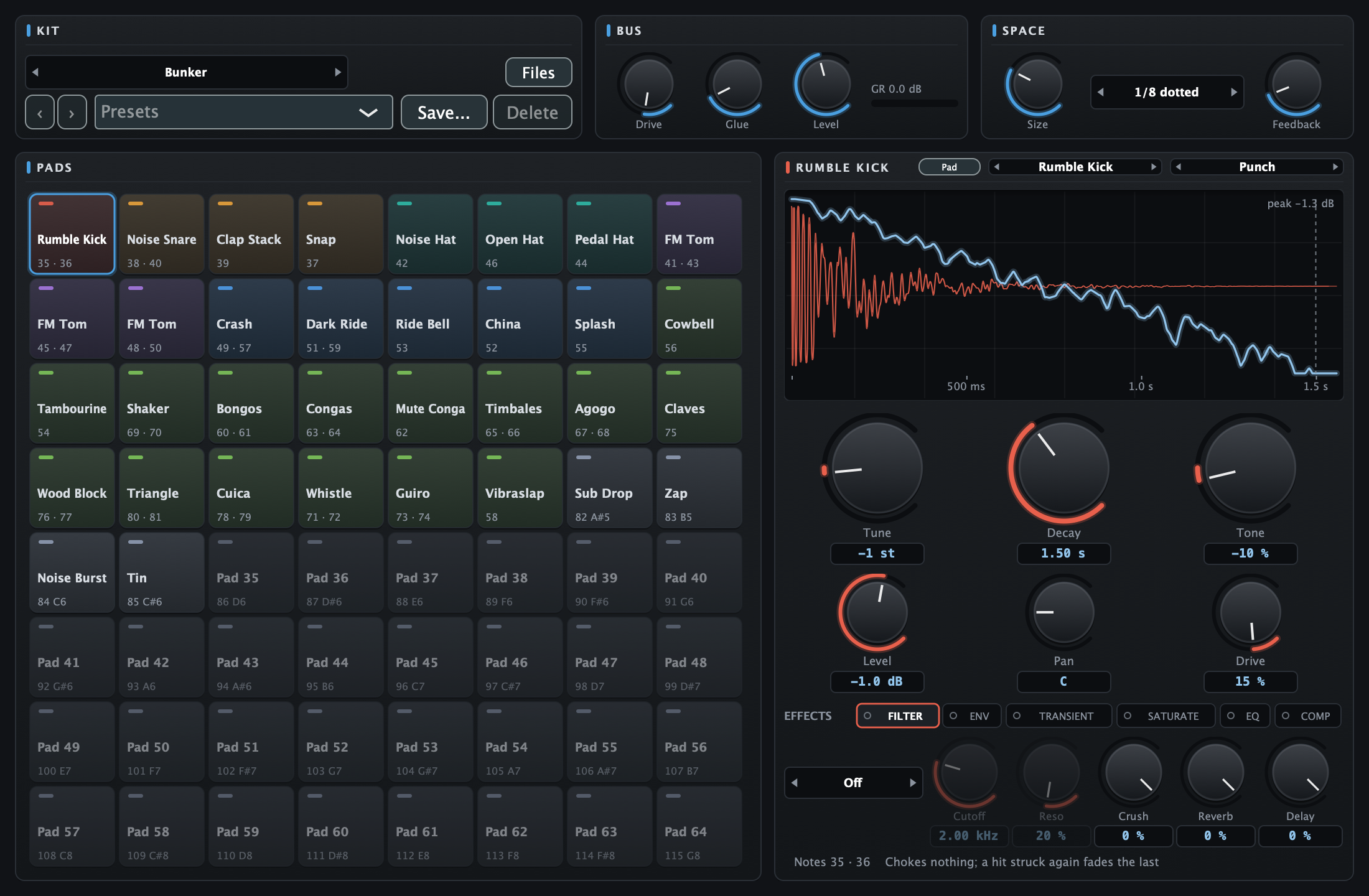
Every Basic Drums pad has a third type, Sample: up to 16 recordings as layers, each for a range of velocities, and layers that share a range take turns. Drop sounds on a pad from Finder or from inside Torqwave. After the 30 sounds come 34 user pads, 64 in all, each with a name, a colour and a note of its own, and the drum grid lists them by name. Samples are read where they are, and Save Kit with Samples copies a kit and its samples into one folder. Torqwave ships no samples: the factory kits stay synthesized. Measured by the tests; not tried by hand, and no real recording was played.
Five effects on every pad (0.21.1)
Beside its filter, crusher and sends, each of the 64 pads has an envelope, a transient shaper, a saturator (Tape, Tube, Clip or Fold), a four-band EQ and a compressor, each off until you switch it on and each with a picture of what it does. Any pad can go in one of eight choke groups of your own, beside the three built in. Measured by the tests; not tried by hand or listened to.
24 more sources, three more kits (0.21.1)
Kicks, snares and claps, hats and cymbals, metal, industrial and low sounds that belong to no drum note: any pad can play one, through everything the pad has. With the 30 sounds that makes 54 synthesized sources, and the download does not grow. Three kits are made with them, Bunker (a rumble), Machine Shop (industrial) and Voltage (tight and gated), fifteen in all. Checked by measurement in the tests; not listened to.
Bring in a kit you own (0.21.1)
Files › Import Battery Kit reads a Battery 4 kit or cell file you own and puts its cells on the pads: names, samples and velocity ranges, notes, level, pan, tune, start and reverse, the volume envelope, and the cells that cut each other off as choke groups. The samples are read in place from the kit's own library and never copied. A report after each import counts what was approximated or left out; the kit's effects and modulation are not brought over. Import Folder of Sounds lays a folder of your sound files on the pads by their names. The Battery import was used with real kits before the release; the folder import is tested but is not known to have been tried by hand.
A stuck note fixed, and a Panic (0.21.1)
Torqwave Synth no longer leaves a note sounding when a patch changes to mono or legato with notes held. Transport › Silence All Instruments (Panic), Shift-Cmd-., sends every instrument and plug-in its note-offs and stops every audition. The fix is tested; the command was not tried by hand.
Continue where you left off (0.20.1, 0.21.1)
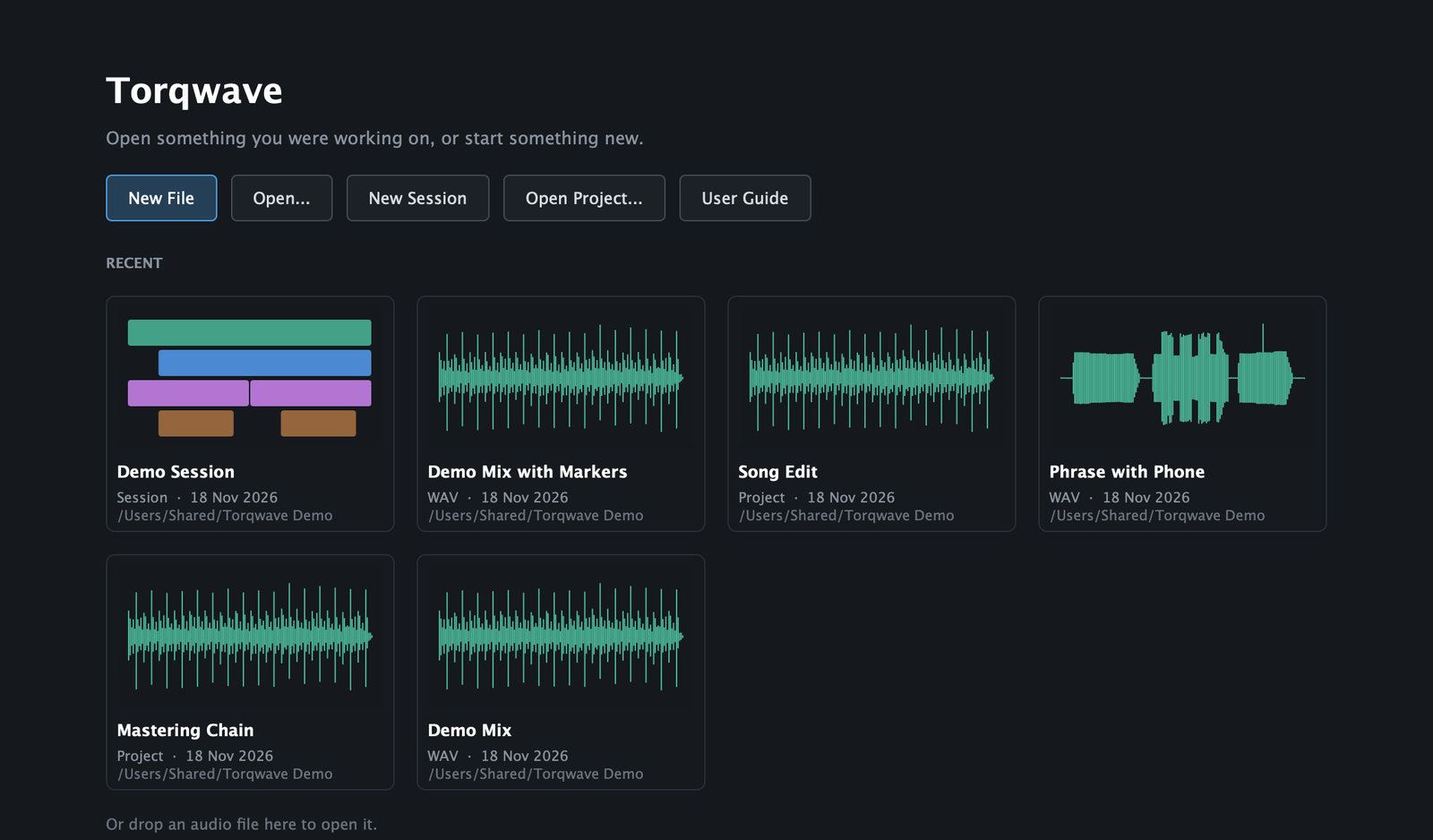
A start that reopens every file that was open in the editor, in order, each with its selection, cursor, zoom and scroll, and the session with its view where it was. From 0.21.1 a session with changes not saved comes back as you left it, one never saved too: tracks, clips, notes, instruments and their settings. No audio is kept: clips name their files where they are, and a file in the editor comes back as it is on disk. The unsaved session was tried in the built app on a session the tests made, not by quitting by hand.
Four instruments
Torqwave Synth with Decrypt, Torqwave Sampler, StringSwarm and Basic Drums, each with its own window, played from the computer's keys, with Audition playing each sound as you choose it.
Something to play on them
The Sequence Library ships 1,024 sequences and 116 kits in 37 styles, techno and industrial first, sorted by style, energy and character. They play on the built-in instruments or on your own plug-ins.
The editor
For one file at a time, down to the single sound inside it.
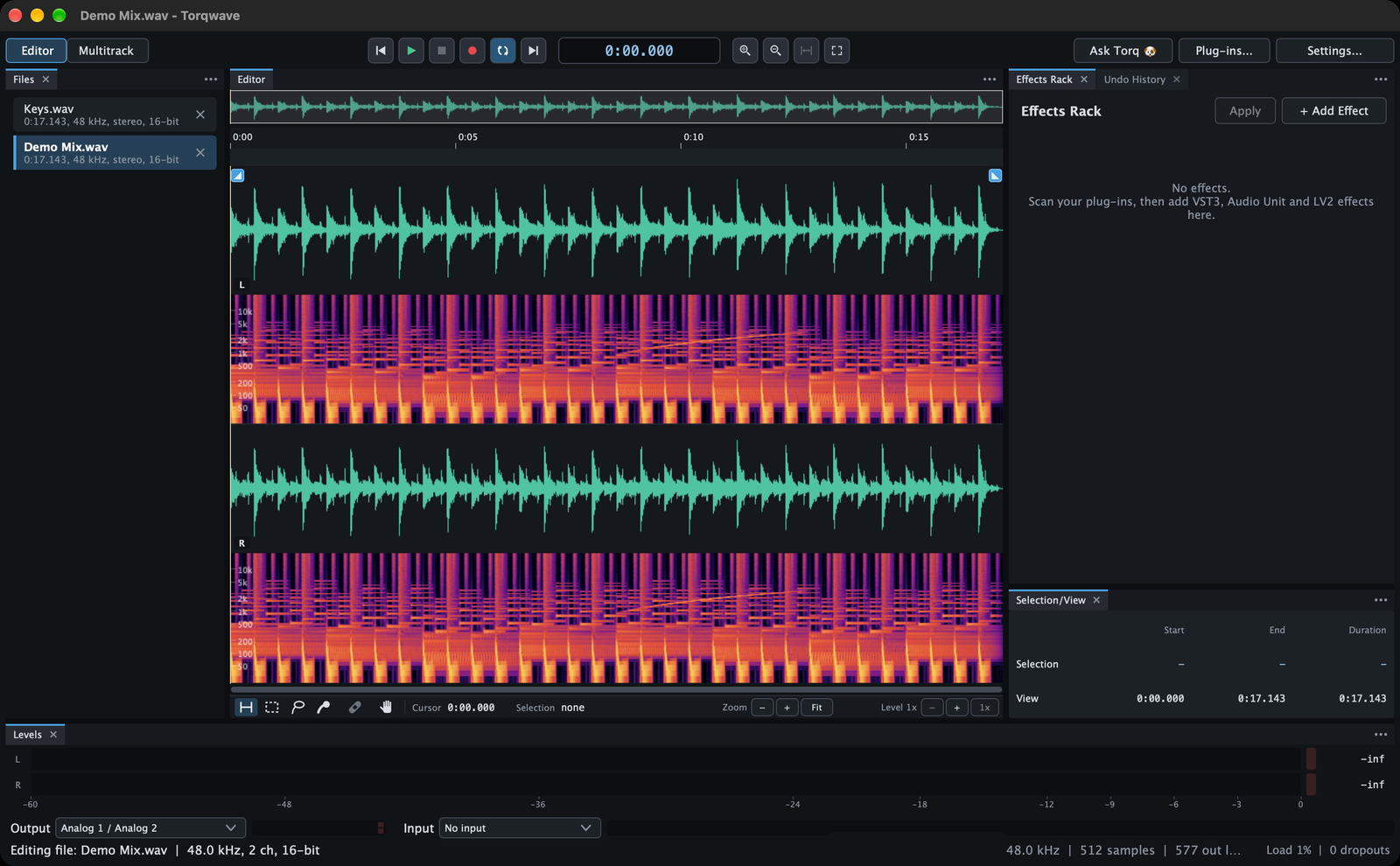
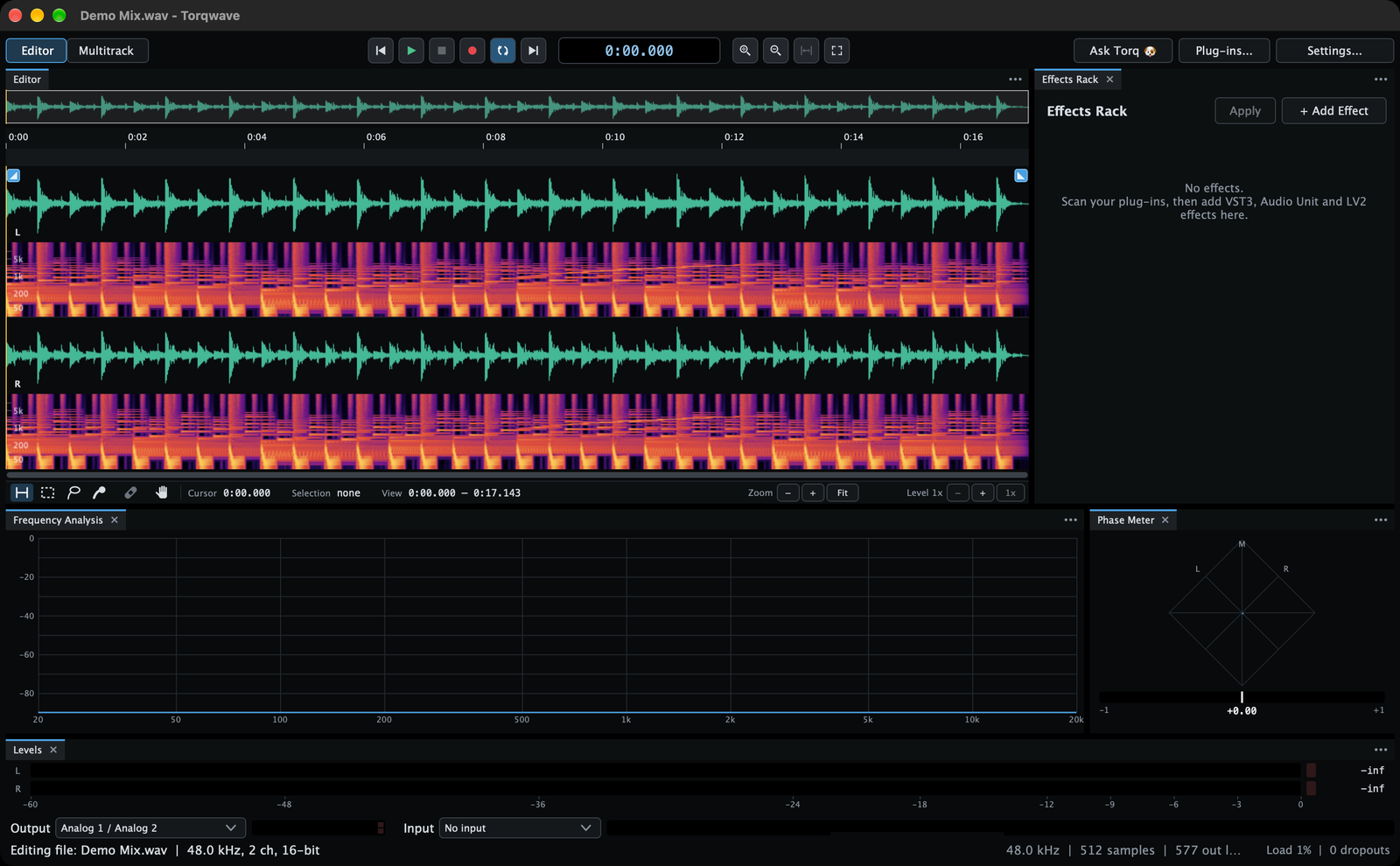
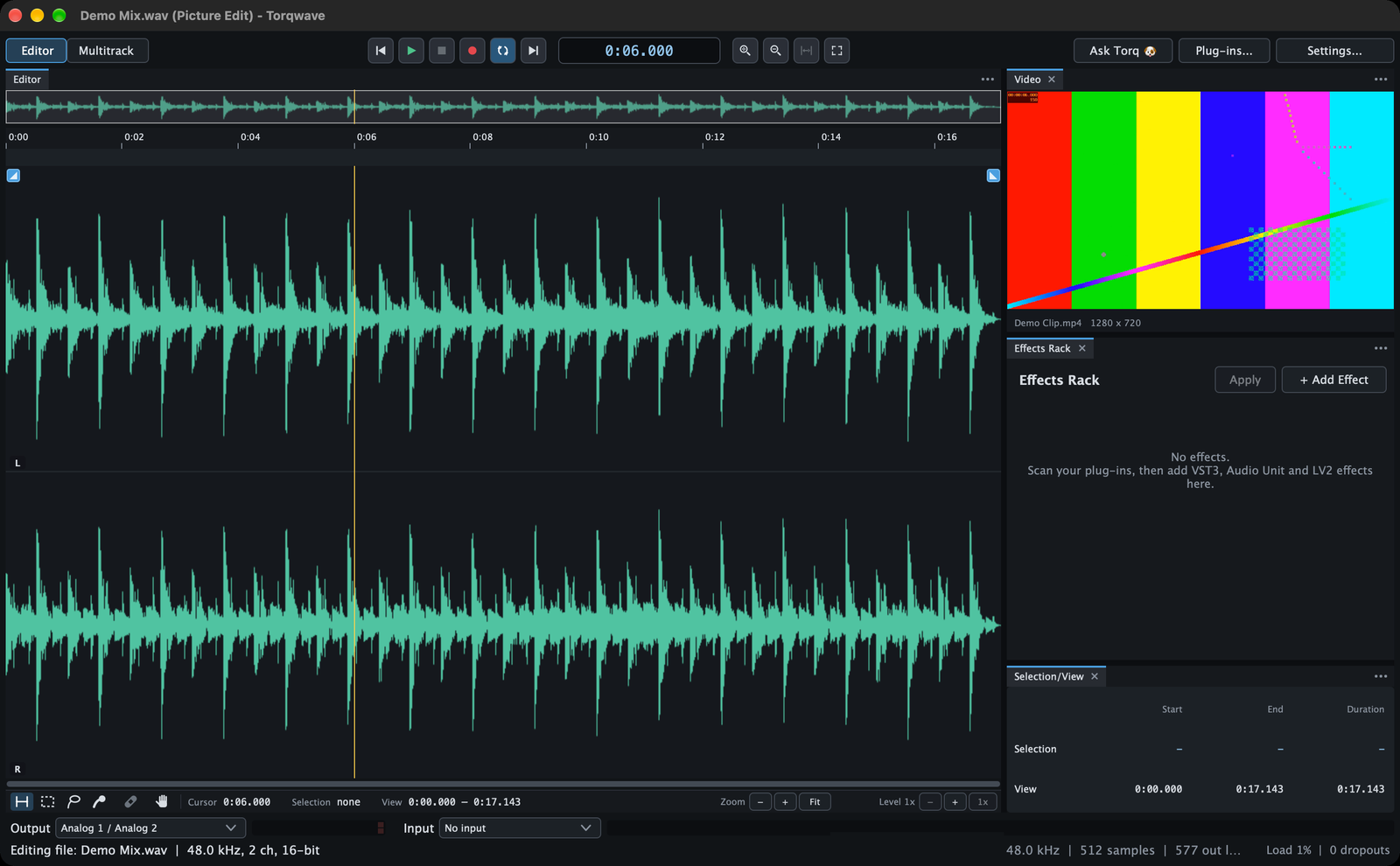
Open a file and it shows as a waveform, a spectrogram, or both. Several files stay open at once in the Files panel, each with its own undo history.
- Cut, paste and shape: cut, copy, paste, paste mix and paste to fill; fades with shapes, dragged straight from handles on the waveform; gain, normalize, and gain and pan ramps.
- Stretch and pitch: stretch or shift a selection with two methods, one of them Torqwave's own, which plays each attack at its own speed so drum hits keep their edge; an extreme stretch, up to a thousand times, smears a sound into a pad.
- Pitch correction: a voice or a solo line, to a scale or by dragging its notes in the Pitch Editor.
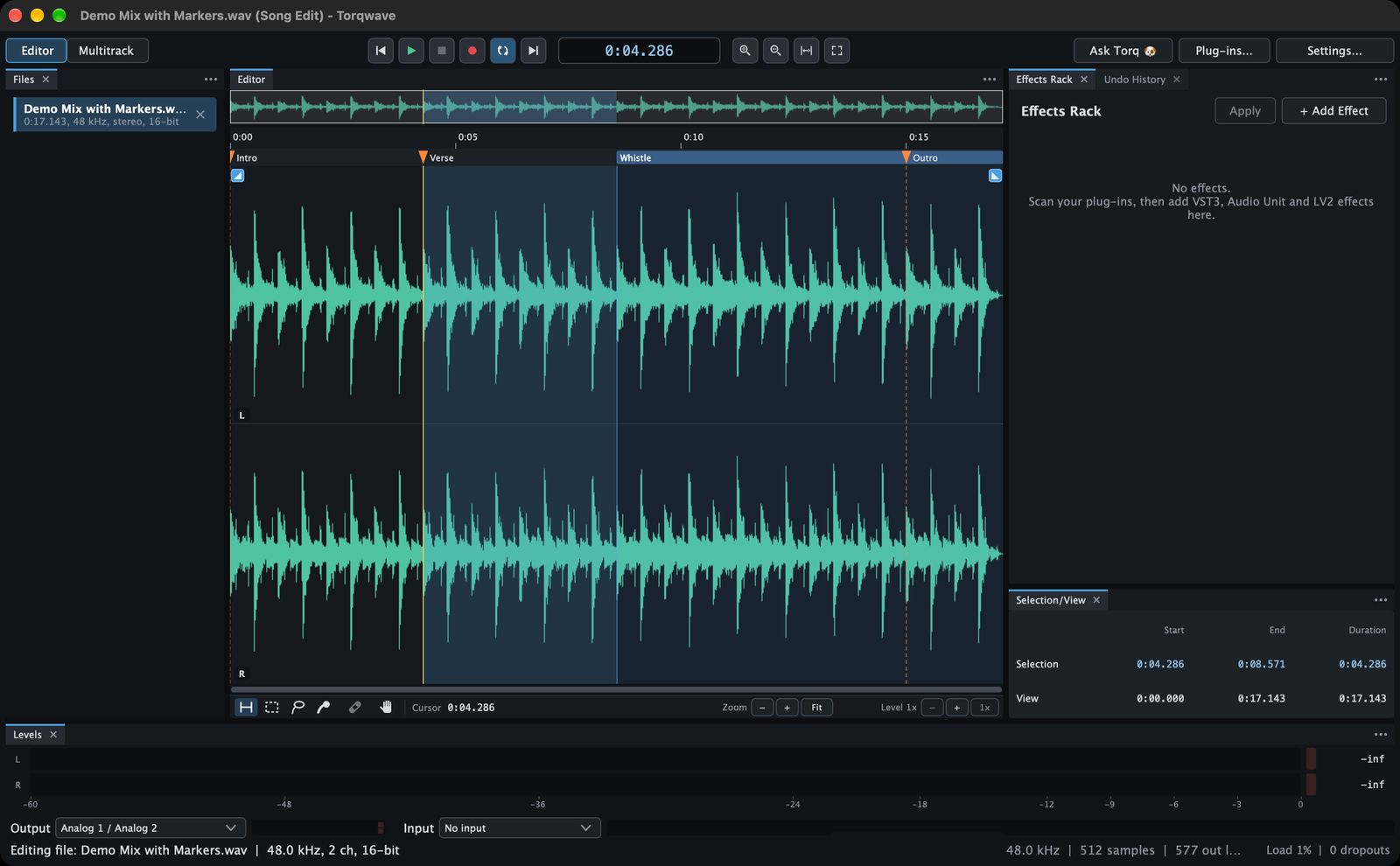
- Markers and regions: with lists, CSV import and export, and saving regions as files.
- Batch Process: many files through the same steps, the originals left as they are.
In the guide: Editing audio · Projects and file types
Spectral editing and repair
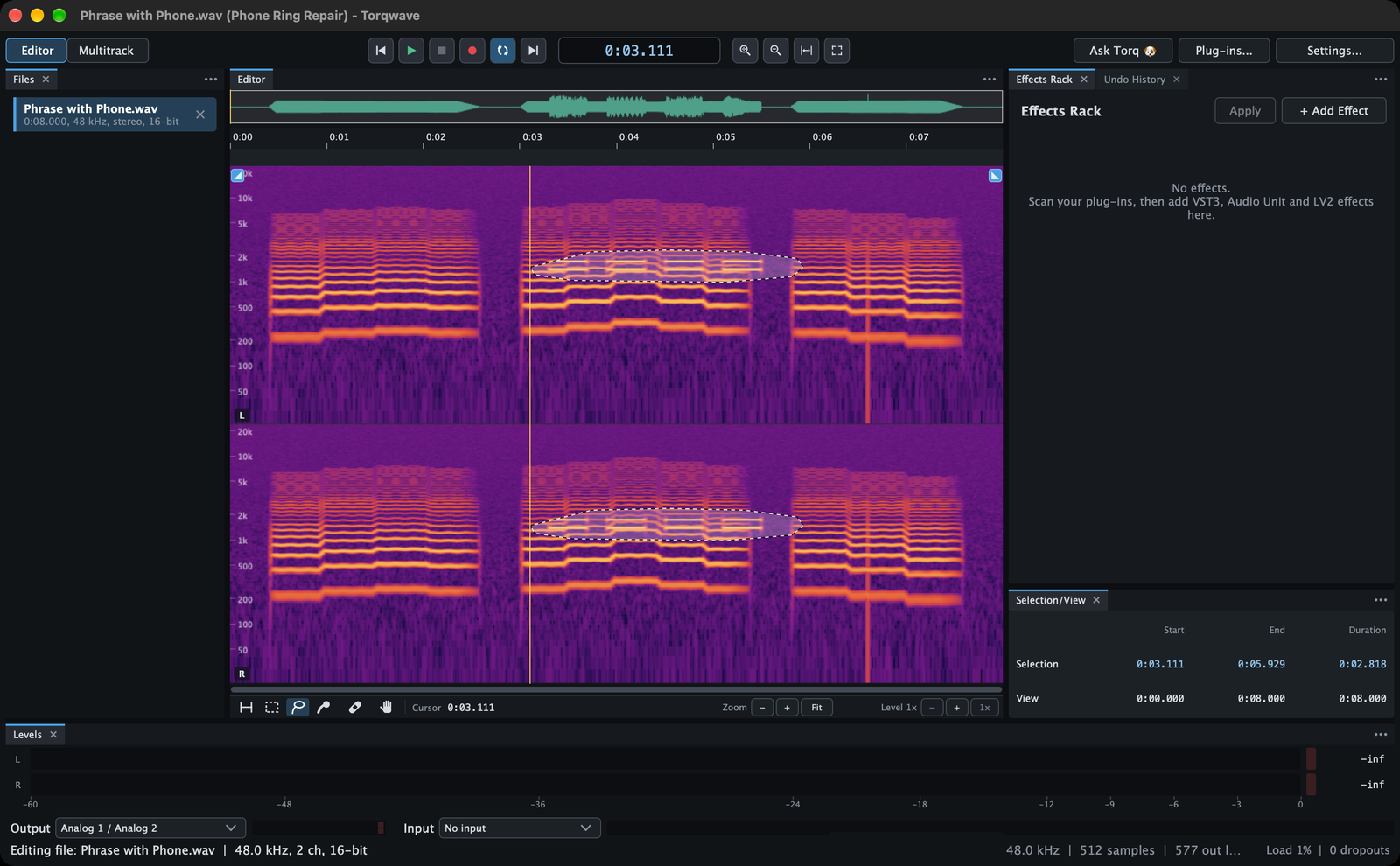
A cough, a phone ringing or a squeaky chair shows in the spectrogram as a shape of its own. Select that shape and leave everything else as it was.
- Select by frequency: a box, a lasso drawn freehand, or a brush you paint with, lighter or heavier.
- Heal: fills a drawn spot from the sound around it. Or attenuate it, or remove it.
- Noise: Noise Reduction from a noise print, Adaptive Noise Reduction without one, and Dialogue Isolation, which keeps the speech and lowers everything else.
- Repair effects: Click and Pop Repair, De-crackle, De-plosive, Remove Hum, Repair Clipping, Reduce Reverb, Wow and Flutter, and Spectral Recovery, which rebuilds the highs of dull, band-limited audio.
- Rebalance: turns the voice, the bass, the drums and the rest of a finished mix up or down separately.
In the guide: Spectral editing and repair · Before and after, with numbers: Quality
Effects and plug-ins
Built-in effects with previews and presets, a live rack, and your own plug-ins.
- EQ: parametric (each band on every channel, the mid or the side, in minimum or linear phase), dynamic, graphic with 10 or 31 bands, and match EQ, which takes a reference's tone onto the sound.
- Dynamics: compressor, multiband compressor, de-esser, transient shaper, noise gate (with hysteresis, sidechain and linked surround), limiter and maximizer.
- Creative & space: stereo/ping-pong/tape delay with wet ducking, 4x-oversampled multi-mode distortion & bitcrusher, resonant auto-filter (LFO + envelope follower + sidechain), tempo-synced volume shaper / sidechain pump (with low-band split), tremolo & auto-pan, reverb, convolution reverb, chorus, flanger and phaser.
- Every dialog has a preview, Bypass to compare, and presets: 201 factory presets for common jobs to start from.
- The effects rack runs effects live on what plays until you apply it.
- Plug-ins: CLAP 1.2 and VST3 everywhere, with Audio Units on the Mac and LV2 on the Mac and Linux, each checked out of process when scanned.
In the guide: Effects and the rack
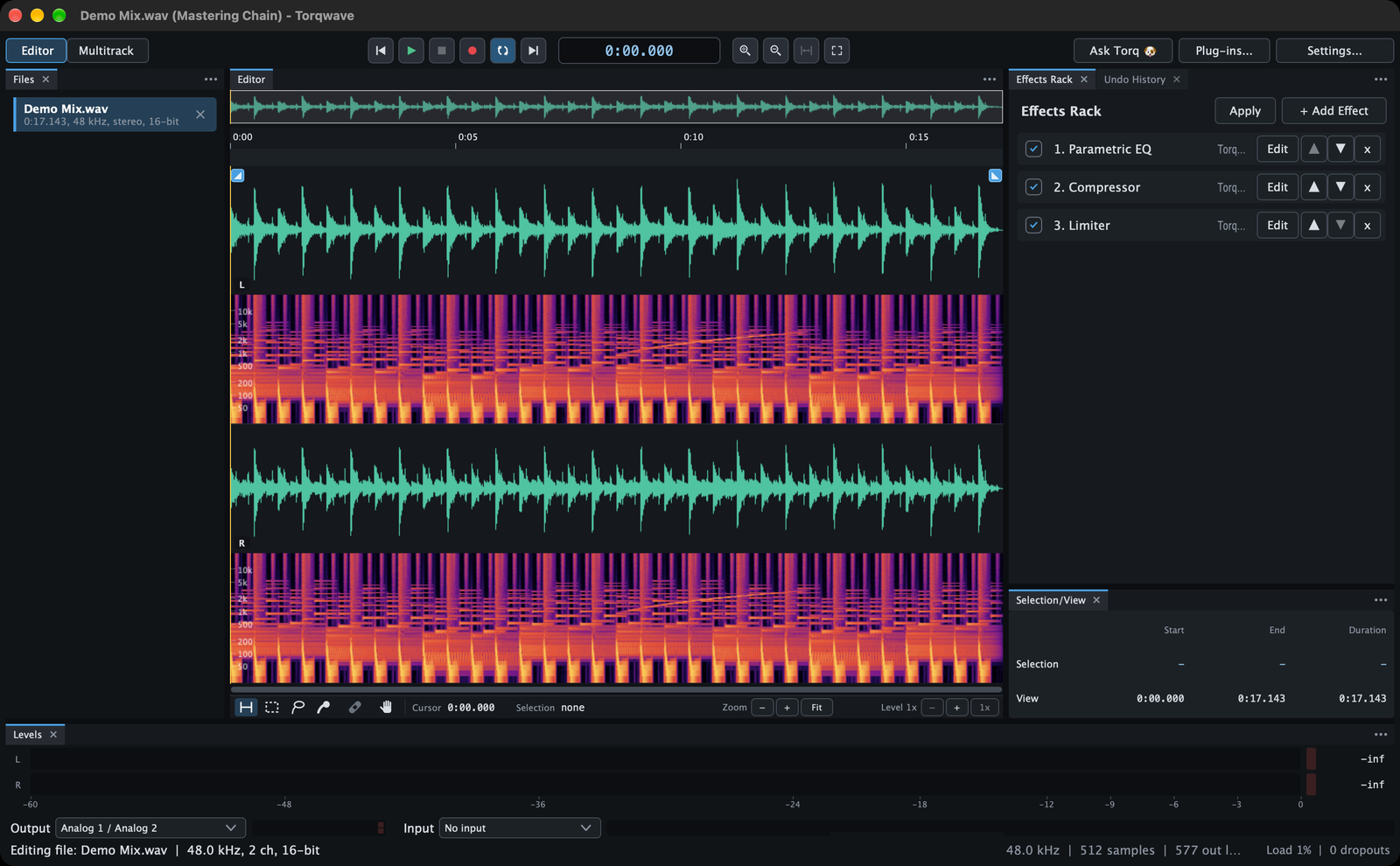
Loudness and mastering
Measure first, hit a target in one step, and finish a master.
- Measure: EBU R128 loudness and true peak, Amplitude Statistics for each channel, a frequency analyzer, Tonal Balance against a target range, and a phase meter.
- Match Loudness: brings a file to a loudness under a true-peak ceiling.
- Meet Delivery Spec: EBU R128, ATSC A/85, an online target or a spec of your own in one step, with a report; for mixdowns and stems too.
- Finish: EQ, multiband compression, stereo width, an exciter and the Maximizer, a true-peak limiter, then dither to the word length you deliver.
In the guide: Loudness and mastering · A loop brought to a loudness, measured: Quality
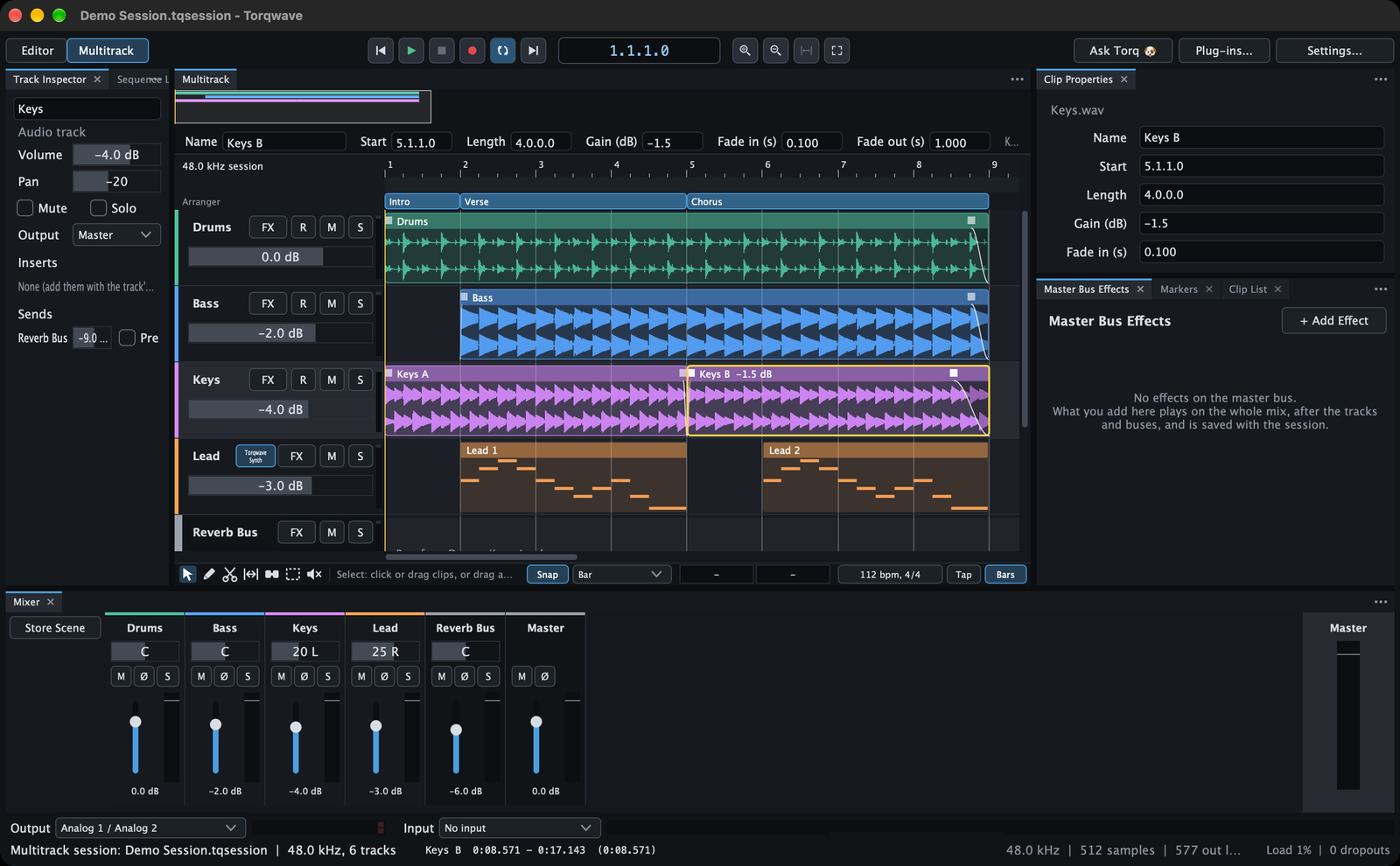
Multitrack sessions
The DAW half, with the editor's tools reaching into every clip.
- Tracks and routing: audio and instrument tracks, folders, buses and sends, VCA faders, sidechain inputs on plug-ins, ducking under a voice.
- Clips: ripple editing, takes and comping, clip gain, fades, and crossfades you shape on the lane or in an editor of their own.
- Mixer and automation: effects on every track and bus with plug-in latency lined up, mixer scenes, track-level LFO and audio envelope follower modulators driving any plug-in parameter, and automation of volume, pan and any effect setting, drawn or written while playing.
- Tempo & Audio to MIDI: a tempo map with bars and beats, an arranger, audio that follows the tempo, and right-click Convert to MIDI (Melody or Drums) on any audio clip.
- Sound design in the session: Edit in Place, clip effects, Combine to New Sound and Add to Library.
- Out the door: freeze, bounce, mix down and export stems; recovery after a crash.
In the guide: Multitrack sessions · Recording
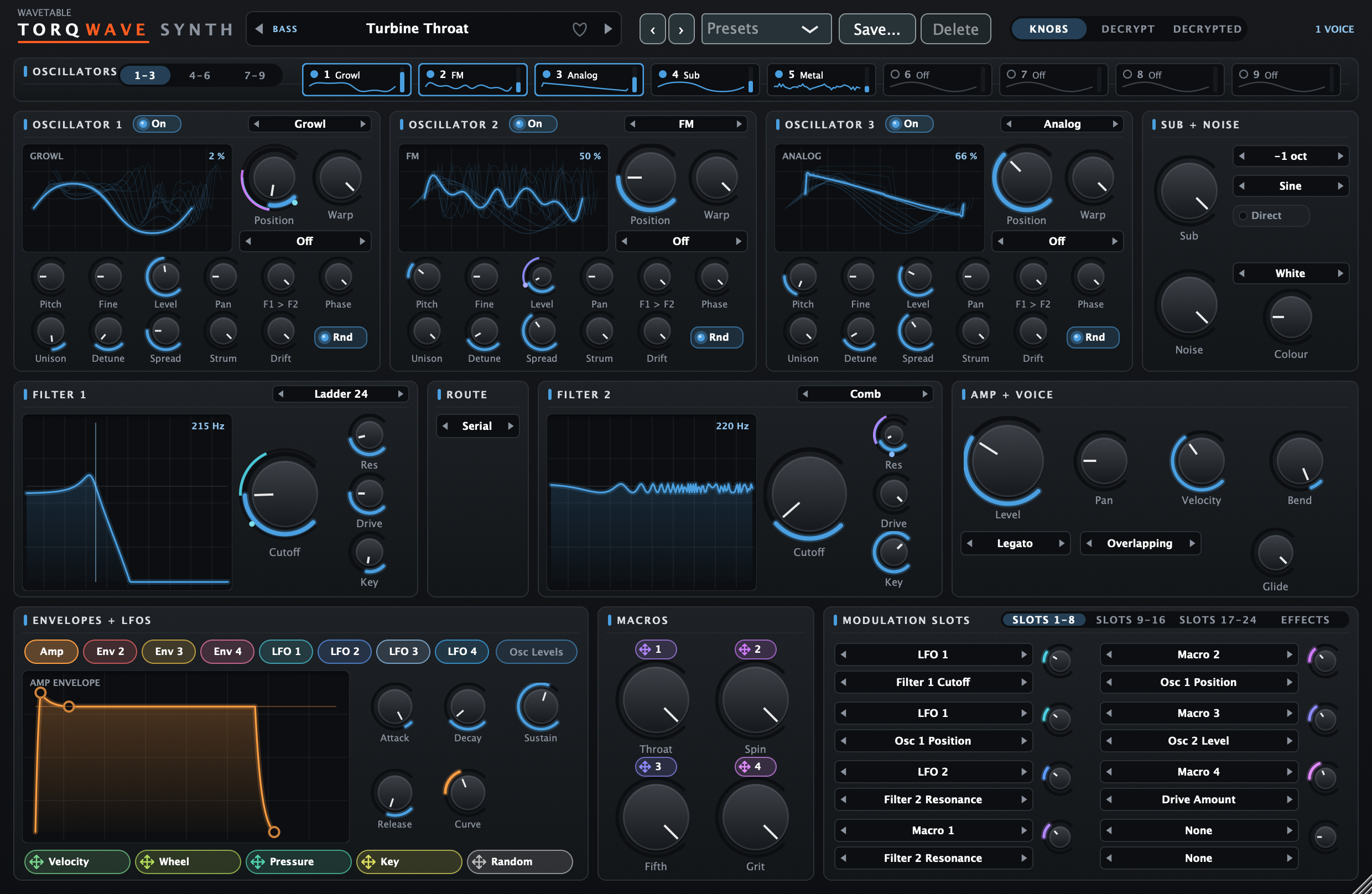
Torqwave Synth
A wavetable synth with its own window, 3,569 factory patches and 116 Complex multi-oscillator patches in 29 categories, built for club and electronic music first.
- Nine wavetable oscillators with warps, unison and FM from any of them, a sub and noise. Drop any sound on an oscillator and it becomes that oscillator's table.
- Two filters, four envelopes, four LFOs (including a 16-node smooth MSEG Curve), 24 modulation slots with Slot Depth as a destination, a built-in tempo-synced Arpeggiator, 4-scene continuous Evolve morphing, and four macros.
- A rack of effects inside the synth: drive, chorus, phaser, delay and reverb.
- Patches by category, with favourites, plus clean-room Massive X (
.nksf) patch import (reading local user-owned.mxwtwavetables in place when installed, or Torqwave's built-in tables otherwise). Audition plays each one as you choose it, on a phrase that suits it, in the session's tempo.
Hear it: patches from every category · In the guide: Instruments and MIDI
Decrypt
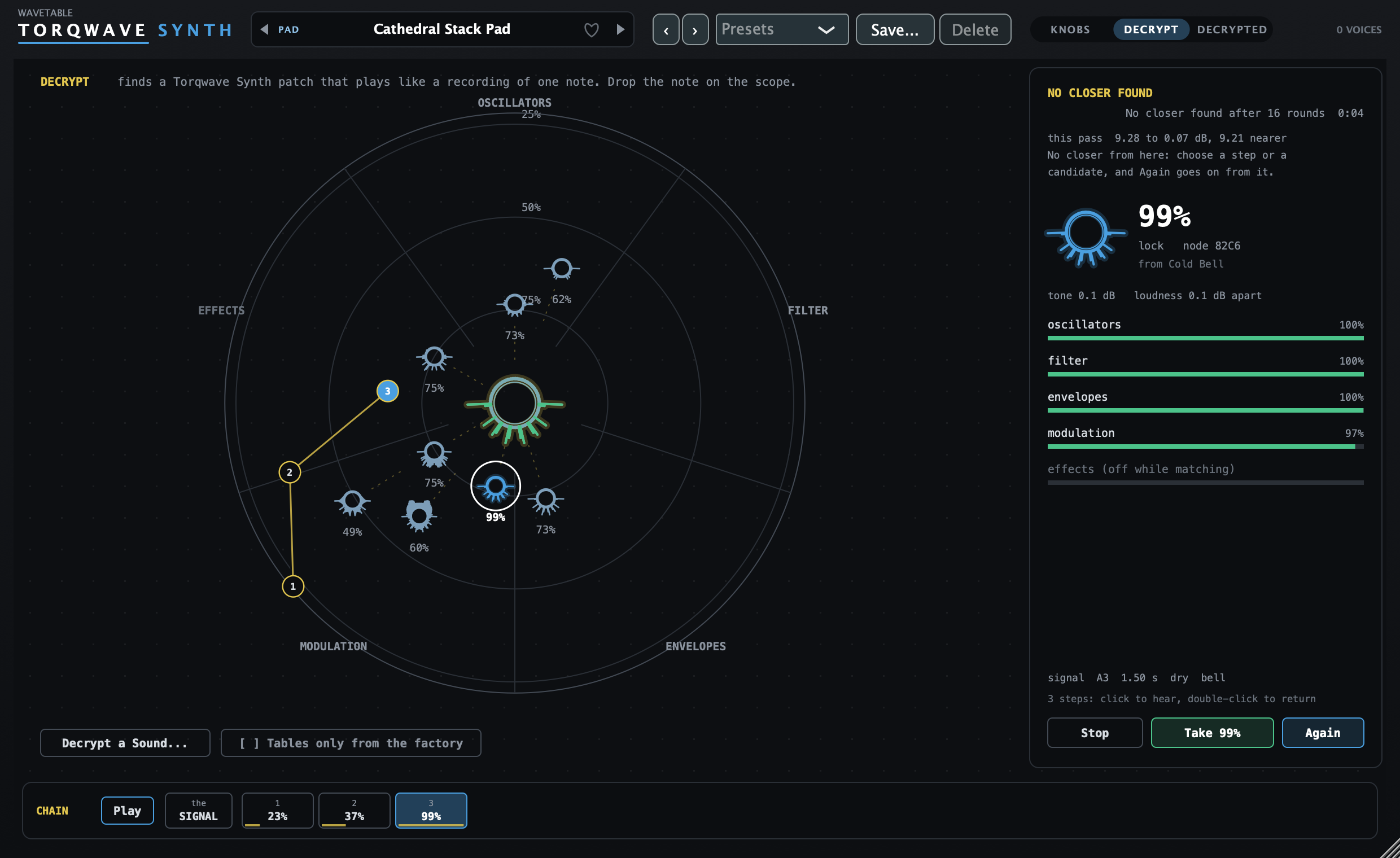
A patch from a recording: drop one note, or a chord, on the synth's Decrypt page and it searches for a patch that plays like it.
- A chain you can hear: each step of the search is a patch, nearer the recording than the one before.
- Choices, not copies: up to eight different candidates round the scope, each with its lock: how near it measures, with optional 9-oscillator Complex matching.
- Chords as chords: where it finds three or more notes it names them and plays every candidate on those keys.
- The Decrypted page keeps the patches you take and name, by category.
- What it is not: the lock is a measurement, not a listening test, and two notes at once are still matched as one.
In the guide: Decrypt: a patch from a recording, with how long it takes and how near it gets
Torqwave Sampler
Your own sounds across the keys, or cut into slices with each piece on a key of its own.
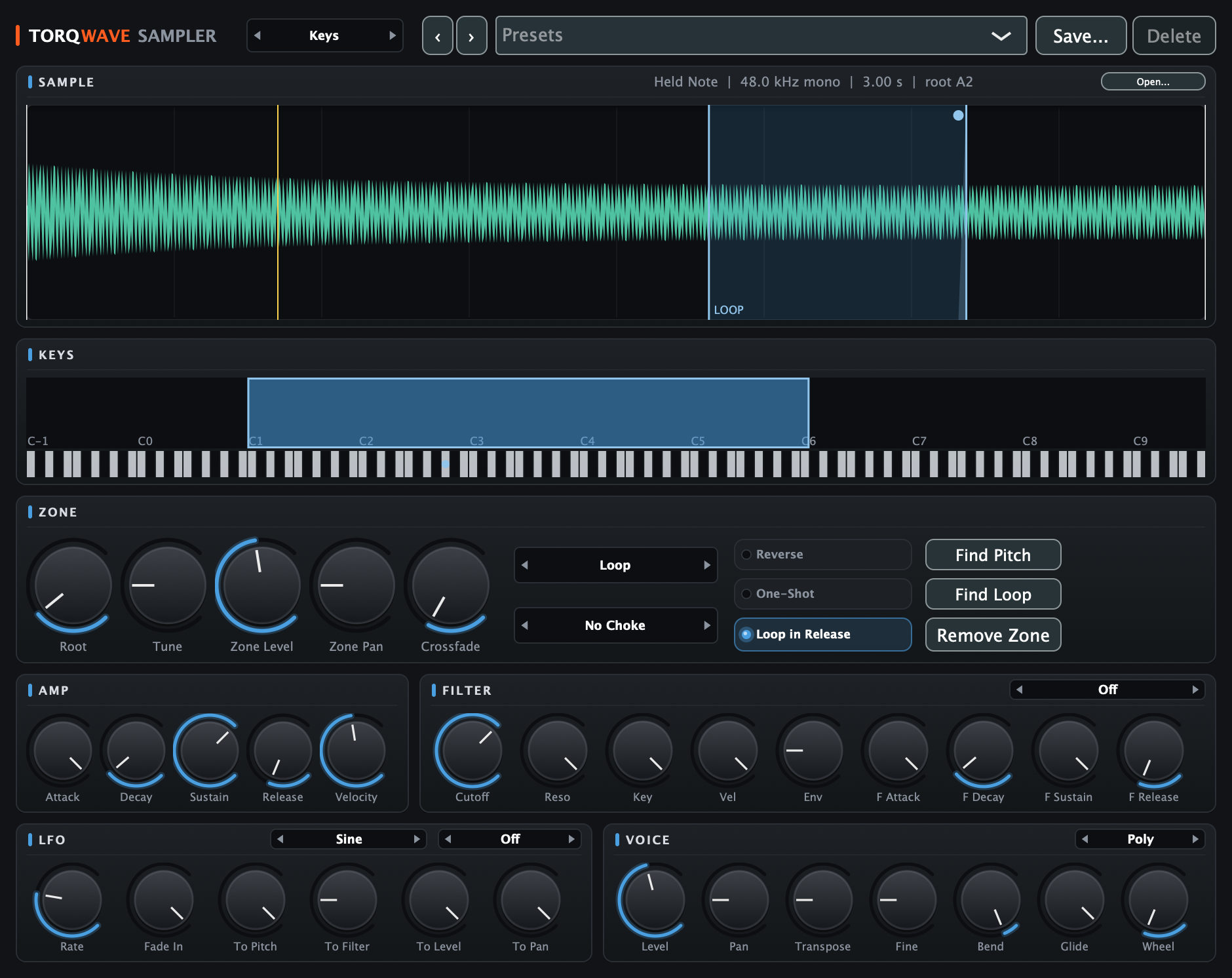
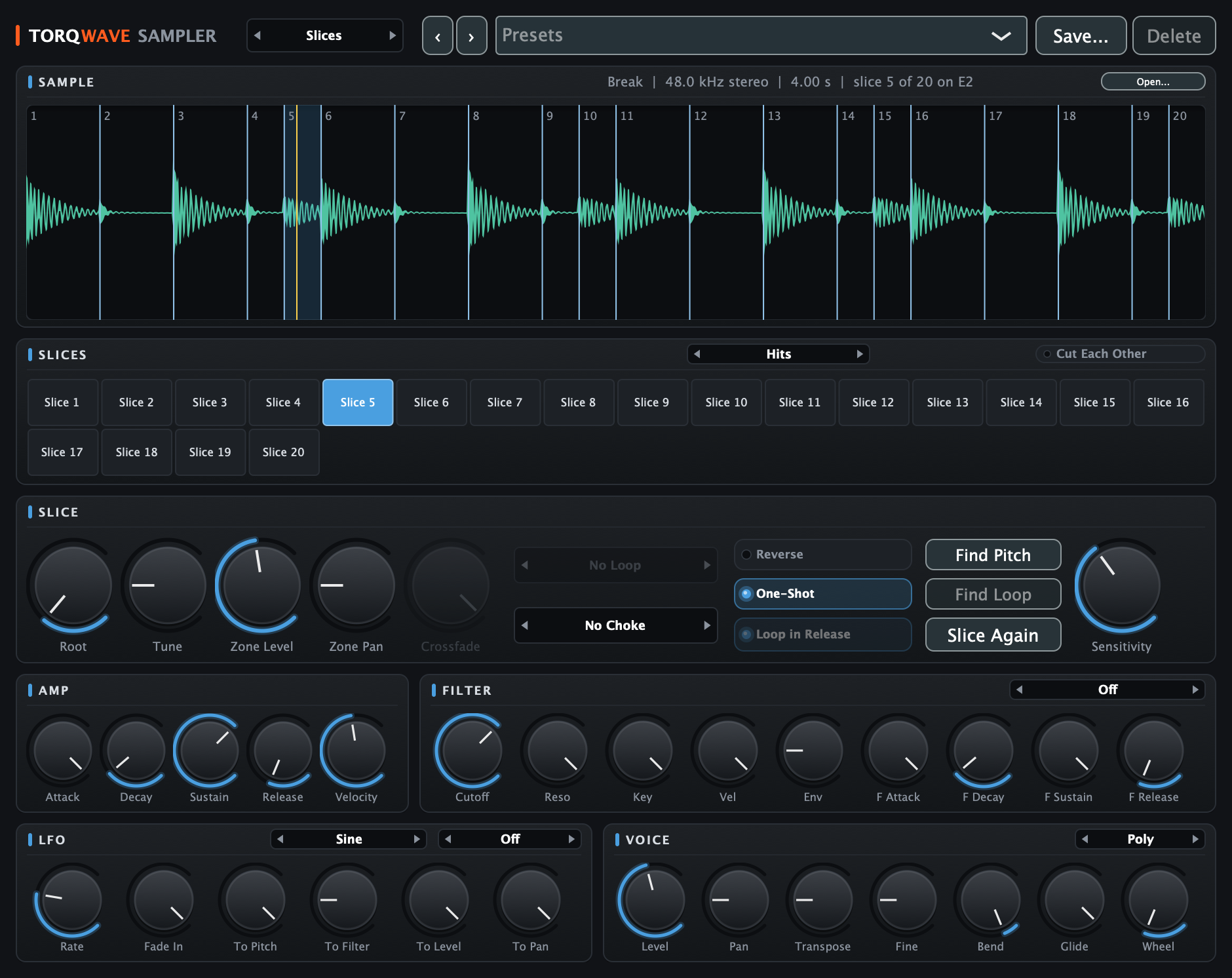
- Zones & SFZ: up to 128 zones with loops, crossfades, per-zone round-robin groups (1–16), tempo-synced Warp playback (Signalsmith Stretch), and standard SFZ multisample import.
- Slices: a loop cut at its hits, its markers or its regions.
- Straight from where the sound is: the editor's selection, a clip in a session, the Files panel or the Sound Library.
- Eleven factory presets, rendered from Torqwave's own instruments. The set is small on purpose: the sampler is for your sounds.
StringSwarm and Basic Drums
Built in, so a session plays the same on any computer with Torqwave.
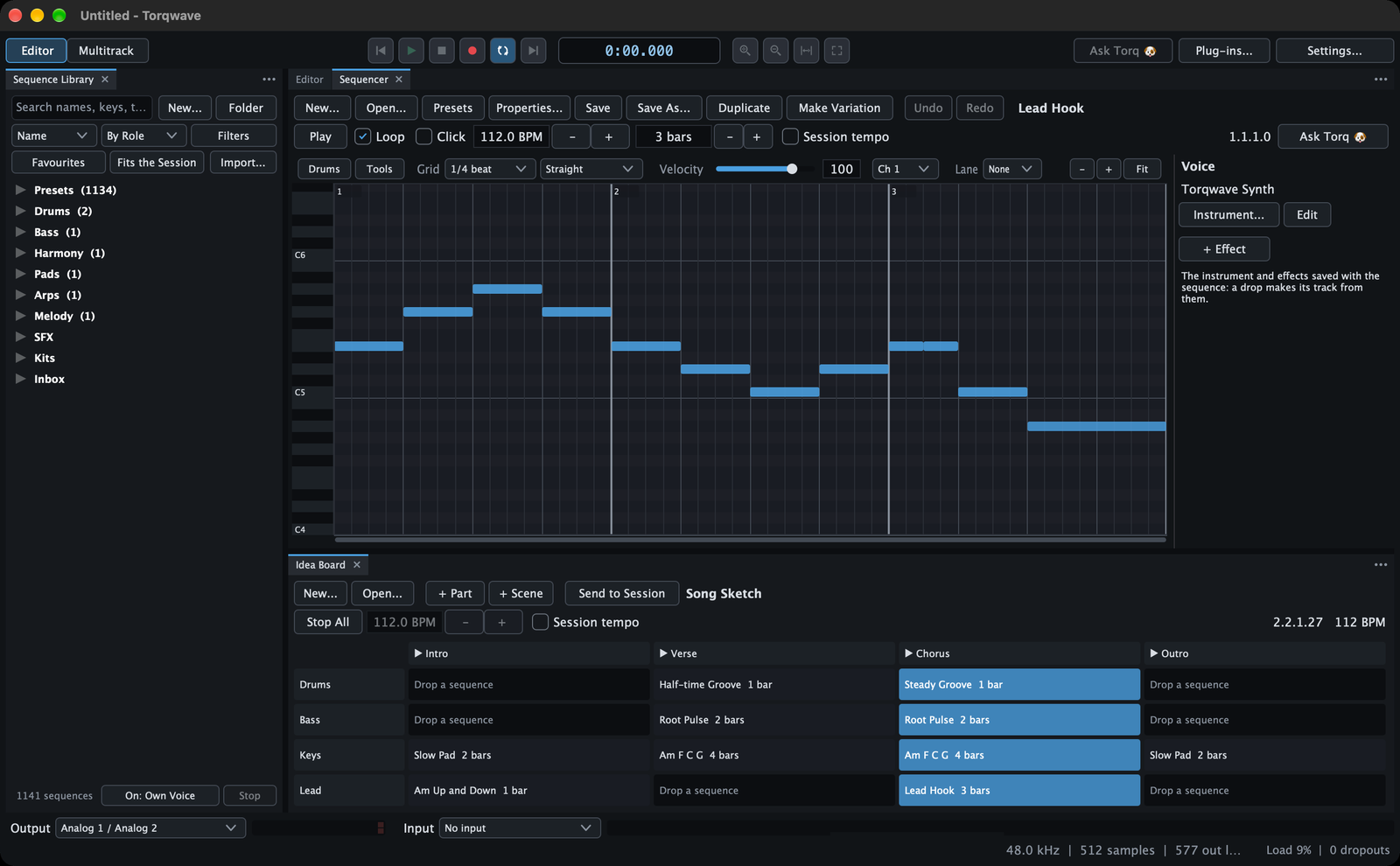
Sequencer, Piano Roll, Score / Notation and Sequence Library
For writing music: start from a pattern, a preset, a grand staff, or a blank grid.
- The Sequencer window, with its writing tools, and the Idea Board for launching sequences together.
- The Piano Roll: notes placed, moved and resized, per-note ratchets (1x–8x) and micro-timing offsets, built-in groove/swing templates (MPC, Shuffle, Push, Laid-Back), cross-track ghost notes, a drum grid with swing and probability, controller lanes, and Capture MIDI for what you just played.
- Score / Notation window (Option-S): dedicated dockable/floatable grand-staff music notation (treble + bass staves, clefs, key & time signatures, ledger lines, direct note editing) with one-click MusicXML 3.1 export.
- Live MIDI FX: four real-time MIDI effects — MIDI Arpeggiator, Chord Trigger, Scale Lock and Note Echo — chained right ahead of any instrument on the same track.
- The Sequence Library: 1,024 factory sequences and 116 kits in 37 styles, found by role, style, key, energy and character, heard on their own voices or on your own instruments before you drop them in.
- Kits make a track for each part. Remap Notes puts a drum pattern on any kit's keys.
- MIDI: files in and out, hardware synths through MIDI out, MIDI clock, control surfaces and MIDI learn.
Hear them: every factory kit · sequences from every style · In the guide: The Sequencer · Score / Notation · The Sequence Library · The 37 styles
Video and surround
Working to picture, in stereo, 5.1 or 7.1.
- A video beside the sound: open a video to edit its sound, or attach one to a file or a session; the picture follows the cursor and plays along.
- Back into the video: Save Sound into Video and Save Mix into Video write a copy with the new sound (through ffmpeg, which is not part of Torqwave).
- To picture: session timecode, Find Cuts and hit markers.
- Surround: 5.1 and 7.1 files and sessions, each track placed with a surround pad, played folded down or to separate outputs.
In the guide: Video and surround
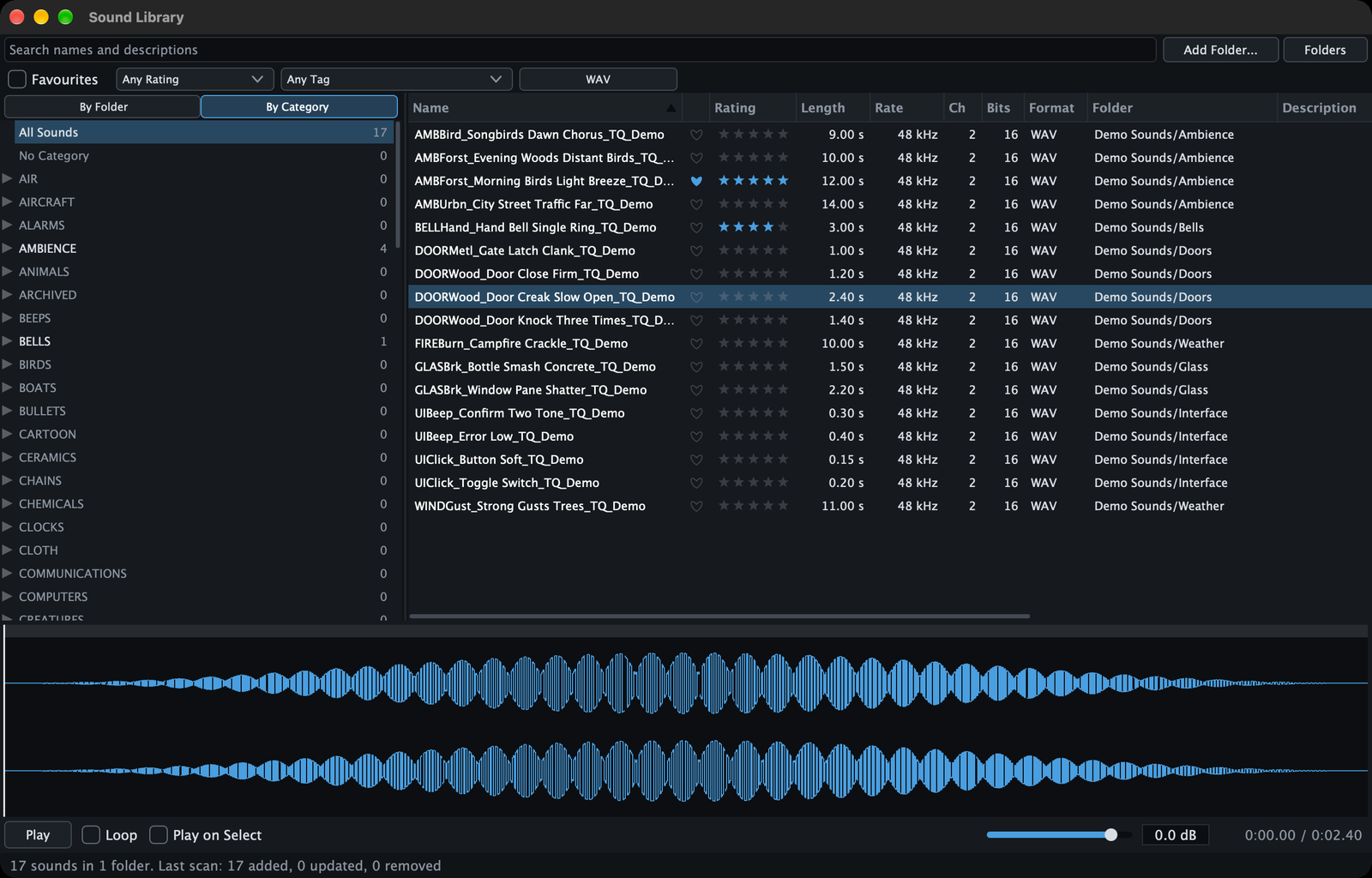
The Sound Library
For a large sound-effects collection.
- Indexed in the background: the folders you choose, and only those.
- Found by words, by folder or by UCS category, rated, tagged and marked as favourites.
- Previewed with the whole waveform, scrubbing and looping.
- Dragged into the editor, a session, the sampler or other apps, whole or just the part you selected.
In the guide: The Sound Library
Ask Torq experimental, off by default
A sentence becomes a plan of edits, made by a language model you run yourself.
- Yours to run: it works with any server that speaks the OpenAI-compatible API, on your computer or your network. Torqwave ships no model.
- You read the plan first: the model measures the file and uses Torqwave's own edits, the effects rack and your plug-ins' settings; nothing changes until you apply, and Apply is one undo step.
- No audio leaves unless you turn on Let the model hear clips for Decrypt, which is off to begin with.
- It follows a conversation: a request goes with the last four before it, so a follow-up has something to follow, and New Chat forgets them. A line under the log shows how full the model's context is, as the server counted it, or an estimate where it sends no count. Its wiring is tested against a made-up model on a mock server, and four requests that only make sense after a conversation are run against a real model on a local server (Qwen3.8 27B: 4 of 4 right, three runs running).
- In sessions and the Sequencer too: tracks, clips, instruments and automation, and writing and reviewing sequences.
Yours to arrange
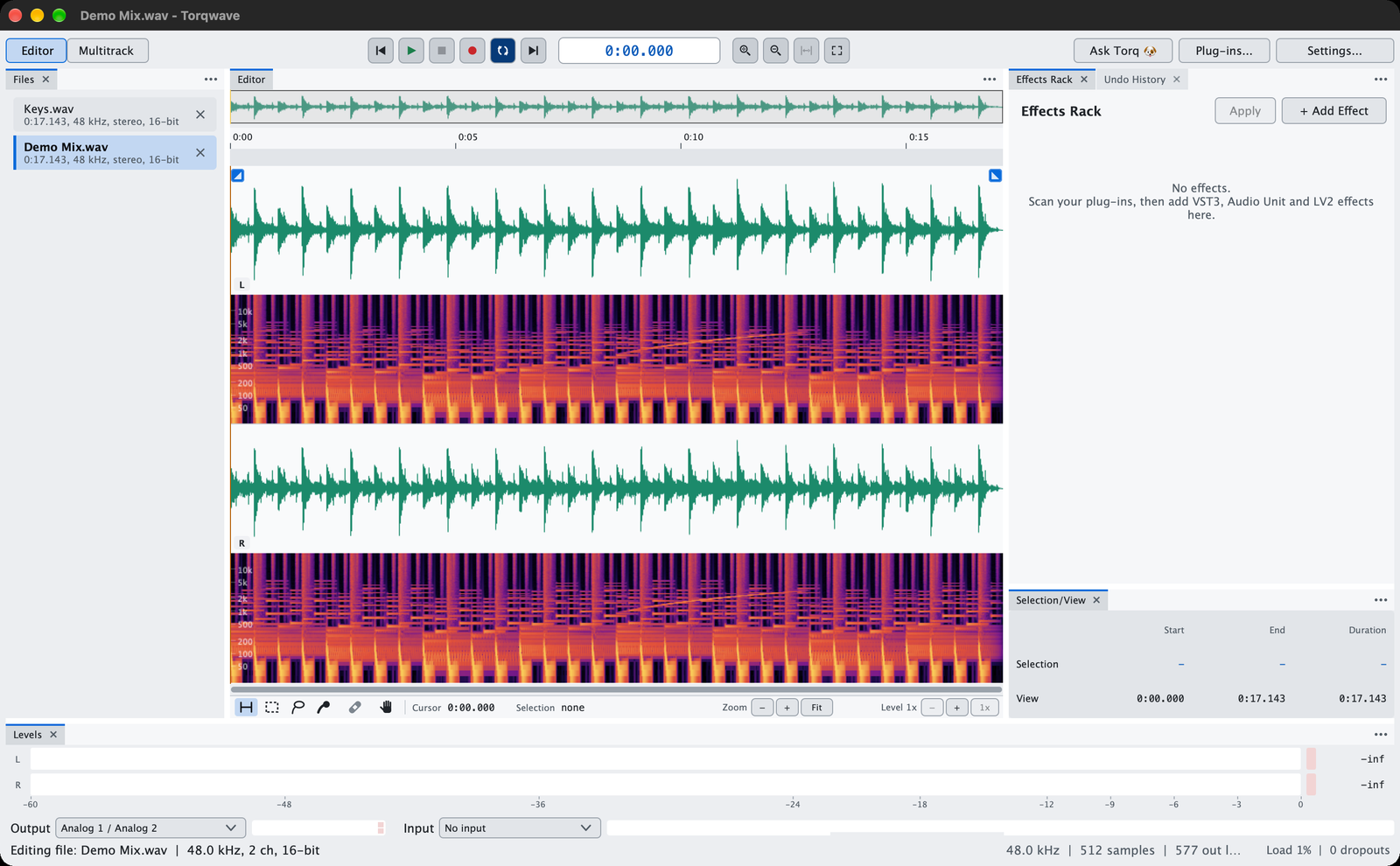
- Panels docked round the editor, tabbed or floating, kept in workspaces.
- Every key changeable: search, change, export and import them. The shortcuts Torqwave ships with.
- A guide in the app: Help > User Guide carries the whole user guide, pictures and all.
Evidence, not adjectives
Before and after, with numbers
Hiss, hum and missing highs repaired at the default settings, and a loop brought to a loudness, on clips Torqwave rendered itself; what the tests measure; and what has not been checked.
Hear what is built in
Patches, presets, kits and sequences from every built-in instrument, most chosen by rule and not by ear, so you hear what the lists are like.
Against fifteen other editors and DAWs
A feature matrix, each cell read from that product's own documentation, showing what Torqwave lacks as plainly as what it has.
What was measured, and what was not tried
Every piece of work with what the tests measured, what was tried by hand and what was not.